In short
Your LG OLED won't turn on anymore, starts unreliably or switches off by itself? Here we show you the fault patterns we see most often in our workshop.
For each of the 9 fault patterns you'll learn what you see, what causes it and what you can do. The behaviour of the standby LED gives you important clues.
The standby LED as the first clue
The standby LED shows whether the power supply board delivers the standby voltage and the mainboard is being supplied. Depending on the cause of the fault, the standby LED behaves differently. This lets you narrow down whether the fault lies in the power supply board or in another module.
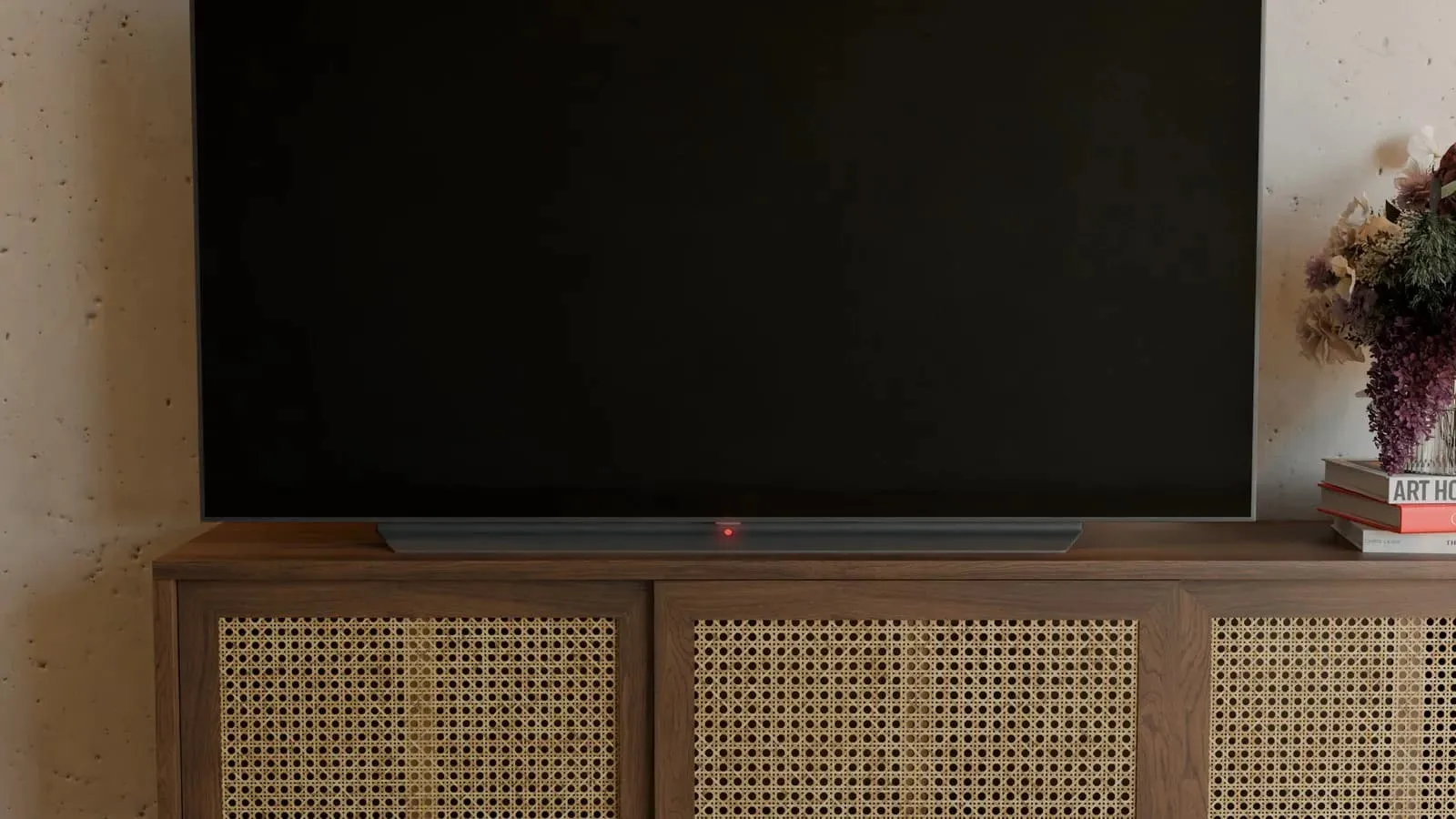
The standby LED is located at the bottom centre. Normally it behaves like this:
- TV switched off: the standby LED glows red.
- Switching on: the standby LED goes out and the TV starts.
- Switching off: the standby LED glows red again.
Three faulty standby LED behaviours
Any deviation from normal is a sign of a possible defect. Even brief blinking when switching on counts, even if the TV starts afterwards. We distinguish three faulty behaviours:
- Standby LED permanently dark: When the TV is off, the standby LED stays dark even though the TV is plugged in. In that case the power supply board is often the cause.
- Standby LED goes out when switching on: When the TV is off, it glows red as normal. When you switch on, it briefly goes out or you hear a click, but the TV doesn't start properly. The click comes from the relay, an electrically operated switch on the power supply board. The fault can lie in the power supply board, but it doesn't have to.
- Standby LED blinks when switching on: When the TV is off, it glows red; when you switch on, it blinks. Even if the TV does start afterwards, this is not normal. Several causes are possible.
Safety notice
This article is for information only. Working on the power supply board is life-threatening, even long after it has been disconnected from the mains, and must only be carried out by qualified electricians.
Anyone who works on it themselves does so at their own risk. We accept no liability for any resulting damage.
Fault pattern 1: Pixel Refresher reports an error
What you see: The TV works normally in everyday use and also starts normally. Overnight, pixel refresh runs in standby, a normal maintenance function. Every time you switch on the next morning, the message appears that the Pixel Refresher could not be completed.
What causes it: The suspected cause is the power supply board. The message points to aged film capacitors on the power supply board.
What you can do: Have the film capacitors replaced by a qualified electrician or have the power supply board repaired.
More on this: Pixel Refresher reports an error
Fault pattern 2: The household circuit breaker trips
What you see: The household circuit breaker trips as soon as you plug in the mains plug, or at the latest when you switch the TV on.
What causes it: The cause is a short circuit in the power supply board. This is a clear indication of a defective power supply board.
What you can do: Do not plug it in or switch it on again. Have the power supply board checked or repaired.
More on this: Circuit breaker trips
Fault pattern 3: TV does not respond
What you see: The TV is plugged in, the standby LED stays dark. No relay clicks when you switch on, and the TV does not respond.
What causes it: The suspected cause is the power supply board. It does not deliver any supply voltage.
What you can do: Have the power supply board checked or repaired.
More on this: TV won't turn on anymore
Fault pattern 4: TV starts unreliably
What you see: When the TV is off, the standby LED glows red. On the first attempt the LED goes out, the TV doesn't start, then the LED lights up again. The same happens on the second attempt. Only on the third attempt does the TV start.
What causes it: The suspected cause is the power supply board, usually aged film capacitors.
What you can do: Have the power supply board checked or repaired before it fails completely. As a test, you can switch off Quick Start+ and watch over the next few days whether the problems disappear: open Settings, then select “All Settings”, “General” (further submenus depending on the version) and set Quick Start+ to “Off”. The exact menu path differs depending on the webOS version. LG also calls the function Q-Start+. Quick Start+ is not a cause, just a way to test.
More on this: Screen stays black
Fault pattern 5: Standby LED stays dark after switching off
What you see: The TV works normally. After switching off, the standby LED stays dark and the TV can't be switched on. If you pull the mains plug and leave the set disconnected from the mains for at least 2 hours, the standby LED glows red again after plugging it back in and the TV starts.
What causes it: The suspected cause is the power supply board. Its protection circuit has tripped. Only disconnecting it from the mains for at least 2 hours resets it.
What you can do: Have the power supply board checked or repaired by a qualified electrician.
More on this: Standby LED off
Fault pattern 6: TV switches off after a while

Opened LG OLED CX: the power supply board on the left, the green mainboard on the right, and in the middle the black cover plate with the T-Con board underneath.
What you see: The TV is running. After a while it switches off by itself and the standby LED glows red. Every time you try to switch it on, the relay clicks, but the TV stays off.
What causes it: The suspected cause is a defect on the mainboard. In our experience, the LG CX series is particularly prone to this.
What you can do: We don't offer mainboard repairs. Contact a local TV technician.
More on this: Switches off by itself and Mainboard or power supply board?
Fault pattern 7: Picture shows stripes
What you see: When the TV is off, the standby LED glows red. When you switch on, the LED goes out and the picture shows stripes. Shortly afterwards the TV switches off and the LED glows red again. Instead of stripes, bars of pixel errors are also possible.
What causes it: The suspected cause is a defect in the OLED panel, less often in the T-Con board that drives the panel.
What you can do: A defect in the OLED panel usually cannot be repaired economically.
More on this: Vertical stripe and Dead pixels at the edge
Fault pattern 8: Cracks in the panel
What you see: Cracks and splinters are visible in the panel. They are caused by a fall or an impact on the display. The standby LED glows red as normal because the power supply board works.
What causes it: The OLED panel itself is damaged.
What you can do: A repair is no longer possible, and replacing the panel isn't worth it. You can still sell the power supply board: we buy it at a fixed price, even if defective.
More on this: Sell your power supply board
Fault pattern 9: Standby LED blinks
What you see: When the TV is off, the standby LED glows red. When you switch on, it blinks and the relay clicks. The TV doesn't start and the standby LED glows red again.
What causes it: Several causes are possible: the power supply board, the mainboard or the OLED panel. The symptom alone is not enough for a diagnosis.
What you can do: Count and note the blink codes, use the checklist below and have the module checked. The blink patterns differ from series to series.
More on this: Red LED blinking and Clicks twice and turns off
Check it yourself without tools
You can check these points without tools and without much effort:
- Switch off Quick Start+ and test for several days.
- Connect the TV directly to the wall socket, without a timer switch. With a timer switch, the overnight pixel refresh cannot run.
- Black picture with “No signal”: first check the HDMI cable, input and source rather than jumping straight to the power supply board.
- Red LED blinking: count and note the blink codes. The patterns differ by series and cause of fault.
- If the TV clicks in standby, this can be normal maintenance (pixel refresh). Only check the power supply board if there are additional start problems. More on this: Clicks in standby
Rule of thumb for classification
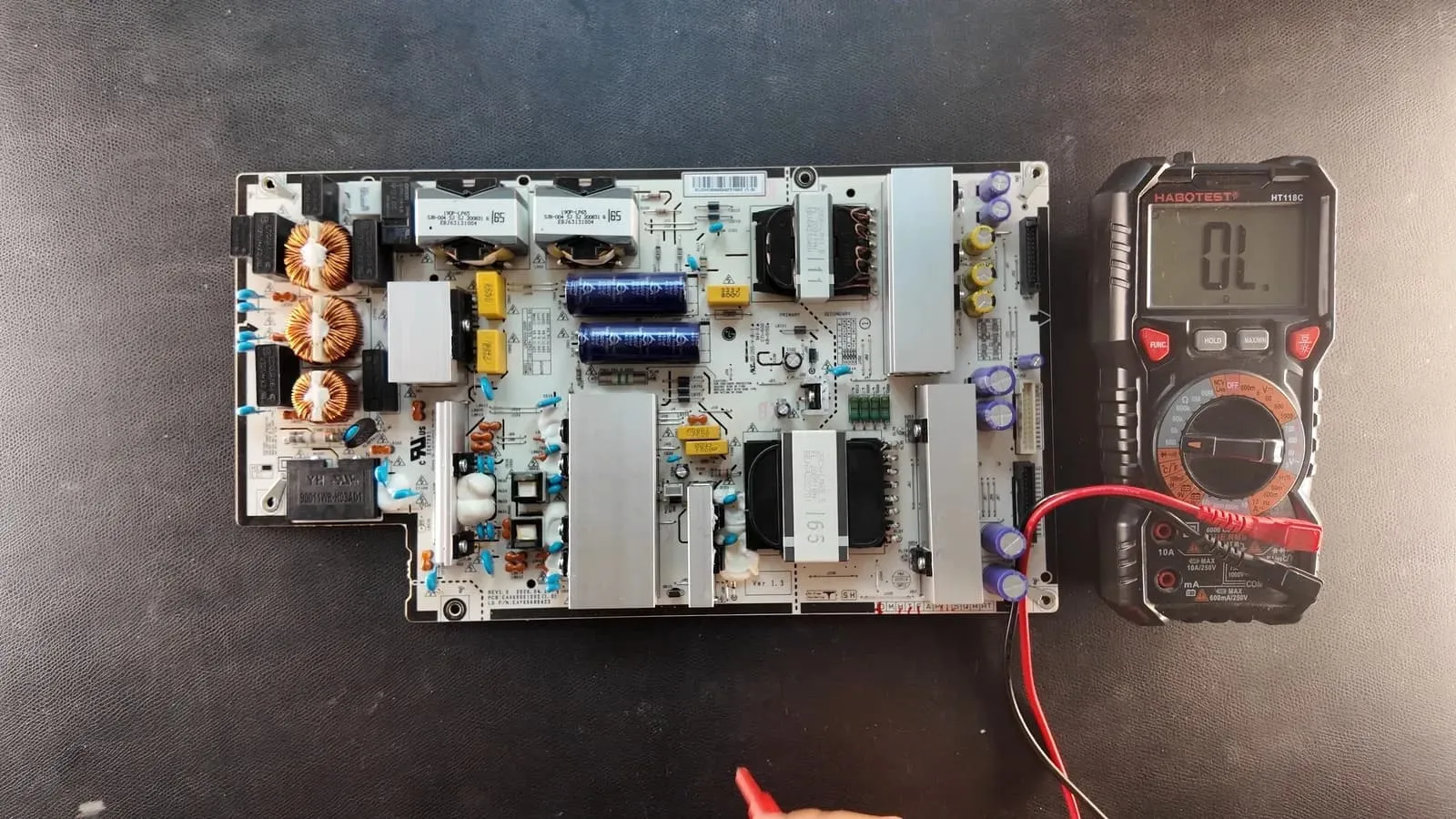
Removed LG OLED power supply board EAY65689423 with multimeter.
Exceptions are possible. The rule is only meant for rough classification. If in doubt, call in a TV technician.
- If the standby LED does not stay lit while the TV is switched off, the power supply board is often the cause.
- If the standby LED initially glows normally and then briefly goes out, blinks or the relay clicks when switching on, the fault can lie in the power supply board, but it doesn't have to.
- If the household circuit breaker trips as soon as the TV is plugged in or switched on, the cause is always the power supply board.
- If the TV only starts after several attempts, the power supply board is usually the cause.
Fault pattern identified: what's next
We are amparioweb, a repair workshop for LG OLED power supply boards. In our workshop we have already repaired over 1,000 defective LG OLED power supply boards. In the vast majority of cases, the same components fail.
The components must be replaced professionally. If your fault pattern points to the power supply board (fault patterns 1 to 5), you can have your power supply board repaired by us: Have your power supply board repaired
Working on the power supply board is intended for qualified electricians only. Always work at your own risk. We are not liable for any damage.
Frequently asked questions
- How can I tell whether the power supply board is defective?
- If the standby LED does not stay lit while the TV is switched off, the power supply board is often the cause. If the household circuit breaker trips when plugging in or switching on, the cause is always the power supply board. Exceptions are possible; if in doubt, call in a TV technician.
- Is Quick Start+ the cause if my LG OLED won't turn on?
- No. Quick Start+ is not a cause but a way to test: switch it off and watch over the next few days whether switching on then works without problems.
- What does the message that the Pixel Refresher could not be completed mean?
- The message points to aged film capacitors on the power supply board. Have the film capacitors replaced by a qualified electrician or have the power supply board repaired.
- Do you also repair the mainboard?
- No, we don't offer mainboard repairs. Please contact a local TV technician.
Not sure which part is affected? Use our symptom finder to narrow down the cause.
Support our work.
We write these articles for free, for everyone. A small donation helps keep the format going.
Power boards for LG OLED — tested under load, 12-month warranty.
Go to shopRelated articles
LG OLED stays black
LG OLED stays black with no picture? Check standby, triage power supply board vs panel vs mainboard — AmparioWeb helps with diagnosis, repair and parts.
LG OLED TV won't turn on
LG OLED won't power on? Aging 820 nF film capacitors in the power supply board often cause it. Spot capacity loss — AmparioWeb repairs or supplies a tested replacement power supply board.
LG OLED clicks twice and turns off
LG OLED clicks twice then shuts off, or clicks with no picture? Relay engages, protection aborts start — often power supply board, short or panel load. AmparioWeb helps with diagnosis and repair.