Ce que fait vraiment le Pixel Refresher
On LG OLED TVs the feature is labelled Pixel Refresher, Pixel Cleaning or similar. Per LG it periodically scans for OLED cell degradation and compensates TFT voltage drift — the goal is less image retention and more even brightness over the panel’s life.
In practice there are two runs:
- Short cycle — after about four hours of cumulative use, when you turn the TV off to standby. Often only minutes; usually no prompt.
- Long cycle — after about 2,000 hours total (some newer lines around 500 hours). LG says ~one hour; vertical lines / a scrolling bar can appear by design.
Ce que dit vraiment le message d’erreur
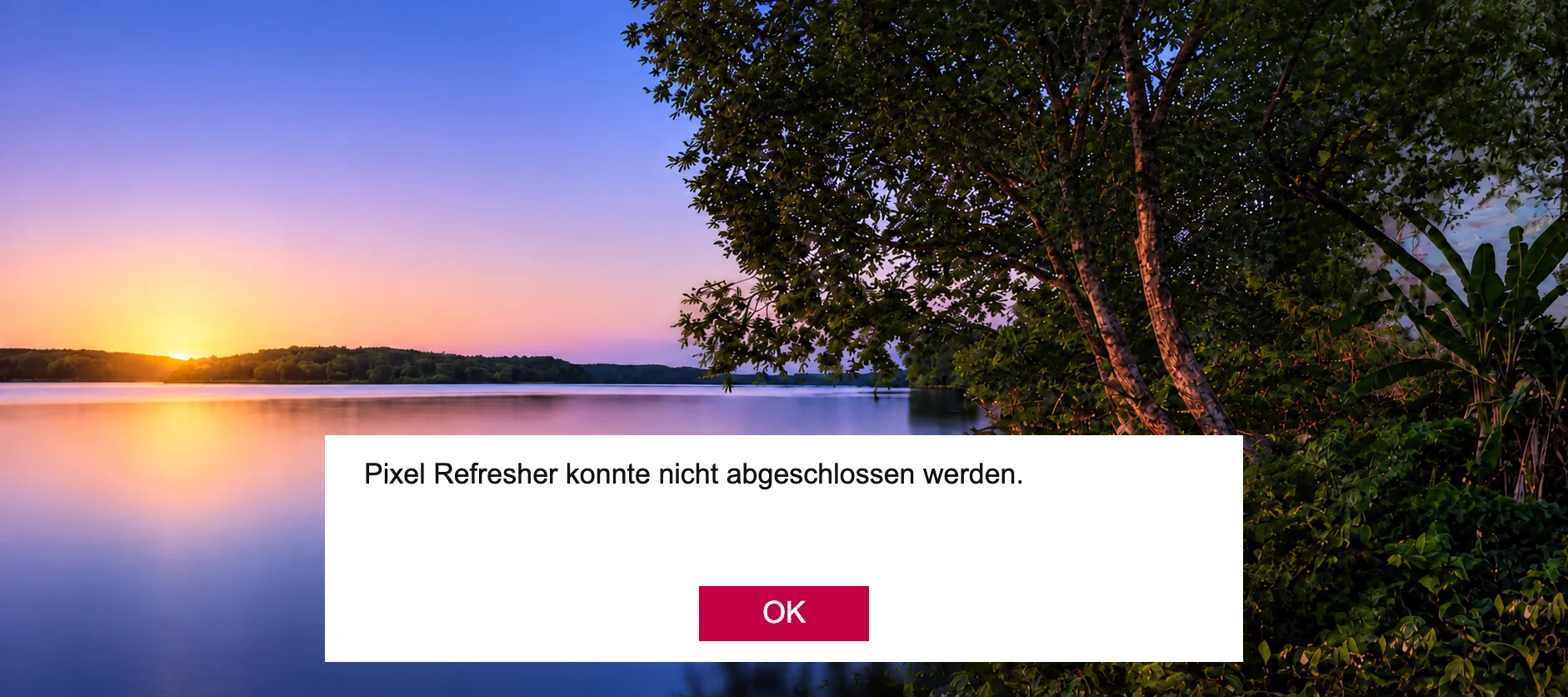
If you see “Pixel Refresher could not be completed” (or “Pixel Cleaning incomplete”), the cycle did not finish cleanly. The TV aborts and shows the OK dialog.
The message does not name a part. It only means compensation was interrupted or failed. Real cases split into setup / peripherals vs hardware.
Causes logicielles fréquentes
LG emphasises standby interruptions. Support docs and field reports add the same list:
- Unplugged or switched power strip while in standby — refresh will not run / complete if the set is dead.
- TV turned back on during the run — aborts immediately.
- SimpLink / HDMI-CEC: a soundbar, AVR or console wakes the TV — refresh stops. Fix: SimpLink off or unplug HDMI before the run.
- eARC soundbar — long refresh often succeeds only after disconnecting the bar.
- Quick Start+ / Always Ready — can block a clean refresh from PC/no-signal standby; disable for the test.
- Not enough idle time — long cycle needs ~one hour; powering on after minutes → message returns.
Diagnostic logiciel dans cet ordre
Before blaming boards, work through this checklist:
- Unplug all HDMI/USB devices (especially soundbar/eARC).
- Turn SimpLink (HDMI-CEC) and, for the test, Quick Start+ off.
- Leave the TV plugged into mains (no wall timer).
- Start Pixel Refresher manually via Settings → Picture → OLED Panel / OLED Care → Pixel Refresher (path varies by webOS year).
- Leave the set alone for at least one hour.
- Check firmware; if the prompt persists, use LG’s Restart path and repeat.
Quand cela ressemble à du matériel
If the long refresh still fails with HDMI unplugged, CEC off and undisturbed standby — or you also have power/start issues — look at hardware. Around the 2,000-hour mark on CX/C series a pattern repeats:
- Power board (PSU) — standby LED dies/clicks, set only wakes after a full unplug; long refresh never finishes because standby rails are unstable.
- Mainboard — menus hang, refresh service dies, other system faults.
- T-Con / panel path — failed refresh plus image artefacts.
- Panel — chronic failure plus clear panel symptoms; soft fixes rarely pay off.
Ce qu’il ne faut pas faire
Do not force the long refresh many times a day — each run stresses the panel; it is meant for hundreds of hours between cycles.
Do not confuse a service-menu notification reset with a real repair: the dialog can vanish even if the long cycle never succeeded.
With relay clicking, flickering standby LED and “only works after unplug”, diagnose power before swapping the panel.
En bref depuis l’atelier
The dialog alone is not a free pass for a panel swap. Note whether it appears once after a power cut or chronically, whether the short cycle still runs, and whether the standby LED stays on.
Very often HDMI unplug + CEC/Quick Start off + one undisturbed hour is enough. If it still fails with start problems, we typically check PSU and mainboard before the most expensive part — the panel.
Model number plus a photo of the message help us prioritize checks — via repair or the parts shop if you already know the board part number.
Questions fréquentes
- Is the TV broken if this appears once?
- No. An abort after unplugging, a CEC wake or turning the set on too early is common. It becomes serious when it repeats despite undisturbed standby or with power/picture faults.
- How long is the long Pixel Refresher?
- About one hour after the usage threshold (classically ~2,000 h; some newer models sooner). Short cycles after ~4 h of use are much shorter.
- Can I unplug the TV when it is “off”?
- Not if you want refresh to finish — without mains power it will not complete and the message often returns. A short unplug to clear a hang is different from cutting power every night.
- Does a factory reset help?
- Sometimes for software corruption. It wipes settings/apps and does nothing for a bad PSU/mainboard. Do the soft checklist first.
Soutiens notre travail.
Nous écrivons ces articles gratuitement pour tout le monde. Un petit don aide à faire vivre ce format.
Cartes d'alimentation pour LG OLED — testées en charge, 12 mois de garantie.
Aller à la boutiqueArticles similaires
LG OLED reste noir
LG OLED reste noir sans image ? Vérifier le standby, trier PSU vs panneau vs carte mère — AmparioWeb aide au diagnostic, réparation et pièces.
TV LG OLED qui ne s'allume plus
LG OLED qui ne démarre plus ? Souvent des condensateurs film 820 nF vieillissants dans l'alimentation. Repérer la perte de capacité — AmparioWeb répare ou fournit un PSU testé.
LG OLED clique deux fois et s'éteint
LG OLED clique deux fois puis s'éteint, ou clique sans image ? Le relais engage, la protection coupe le démarrage — souvent PSU, court-circuit ou charge panneau. AmparioWeb aide au diagnostic et à la réparation.